Heads Up
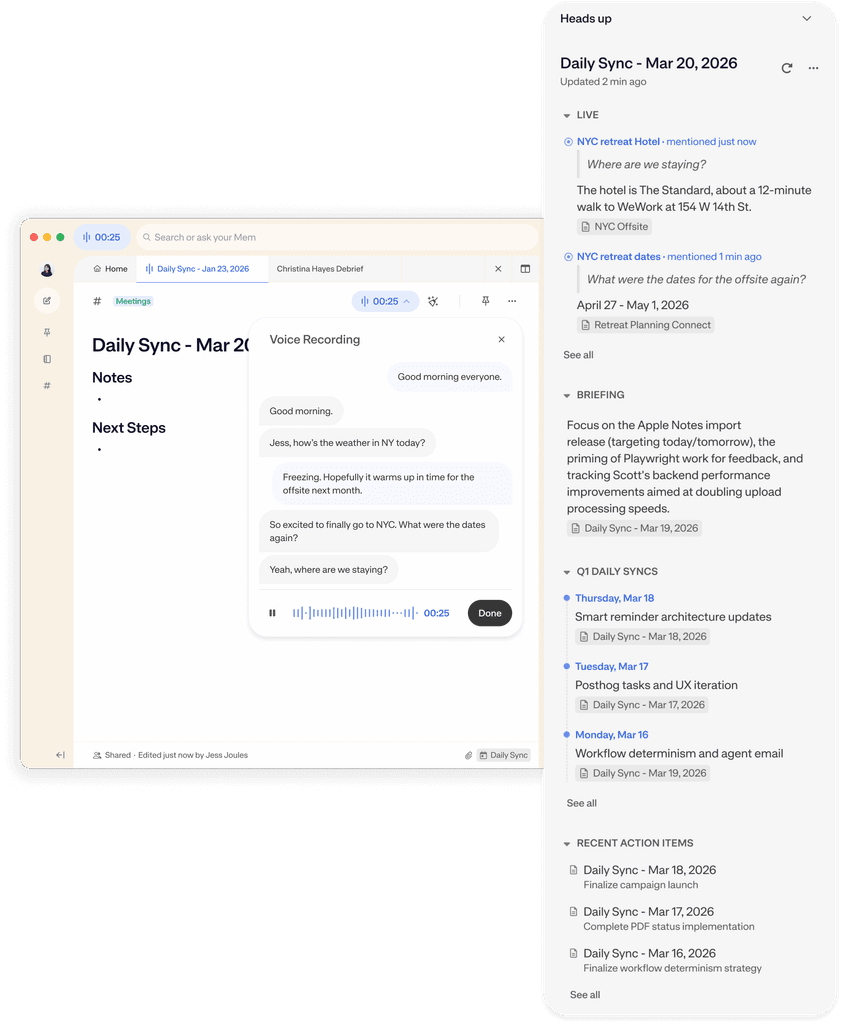
Heads Up is Mem's real-time context panel. The moment you open or create a note, Mem looks at who you're meeting with, what's being discussed, and what you're working on—then surfaces relevant notes before you think to look for them.
1.
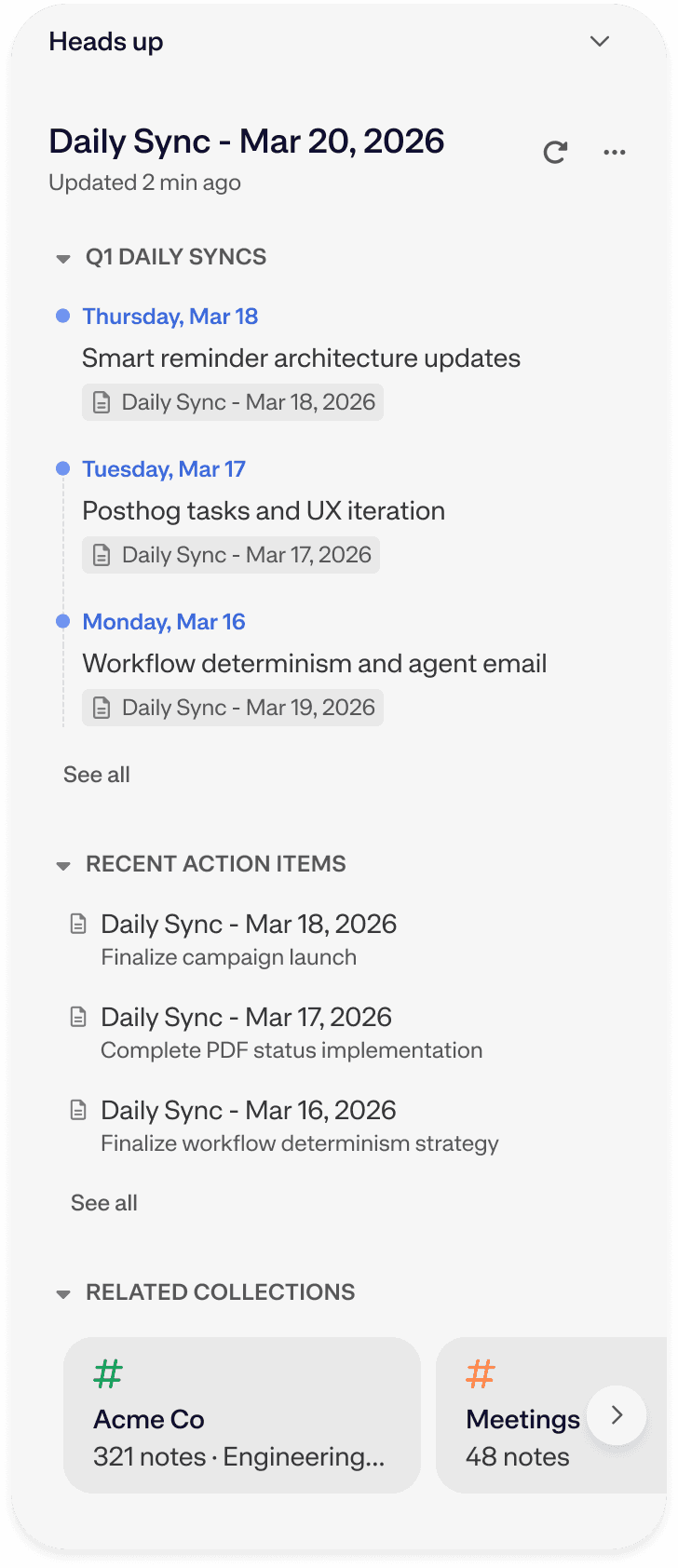
The moment you create or open a note on Mac, Windows, Web, or iOS, Heads Up surfaces relevant notes organized into clear sections.
Timeline threads your complete history with a person, team, or recurring series.
The Related Topic bundle surfaces past clippings, outlines, drafts, and voice notes that are topically connected to whatever you're working on.
2.
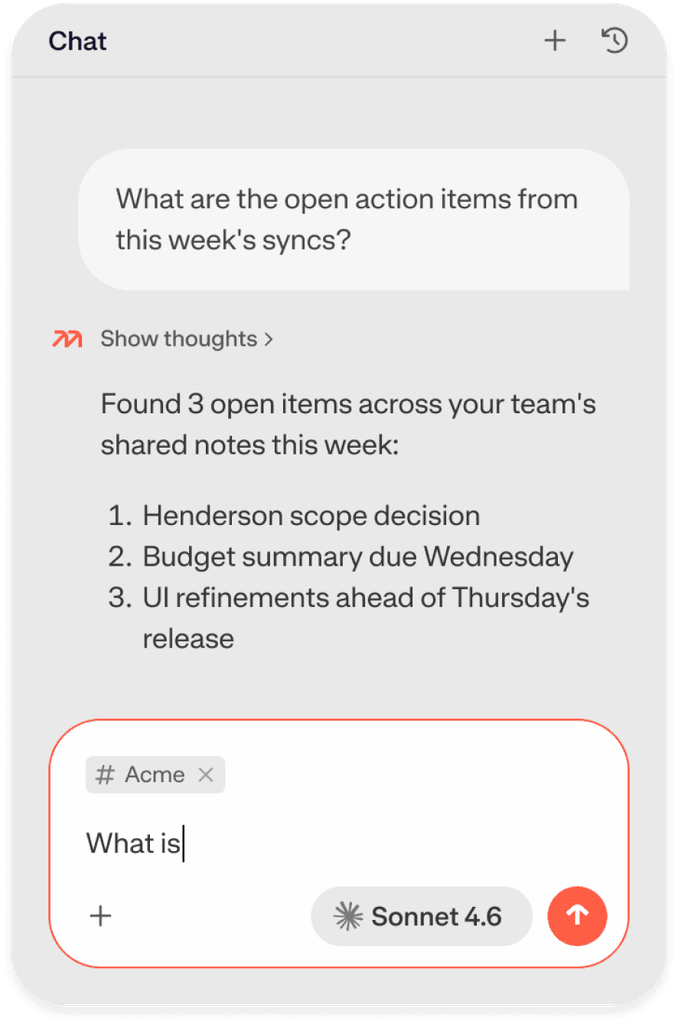
Hit Find More inside the Heads Up panel to broaden the results and surface more loosely related notes. Or toggle to Mem Chat for a targeted, conversational query when you want to search for something specific. Heads Up is the tap on the shoulder; chat is the deep dive.
Pro
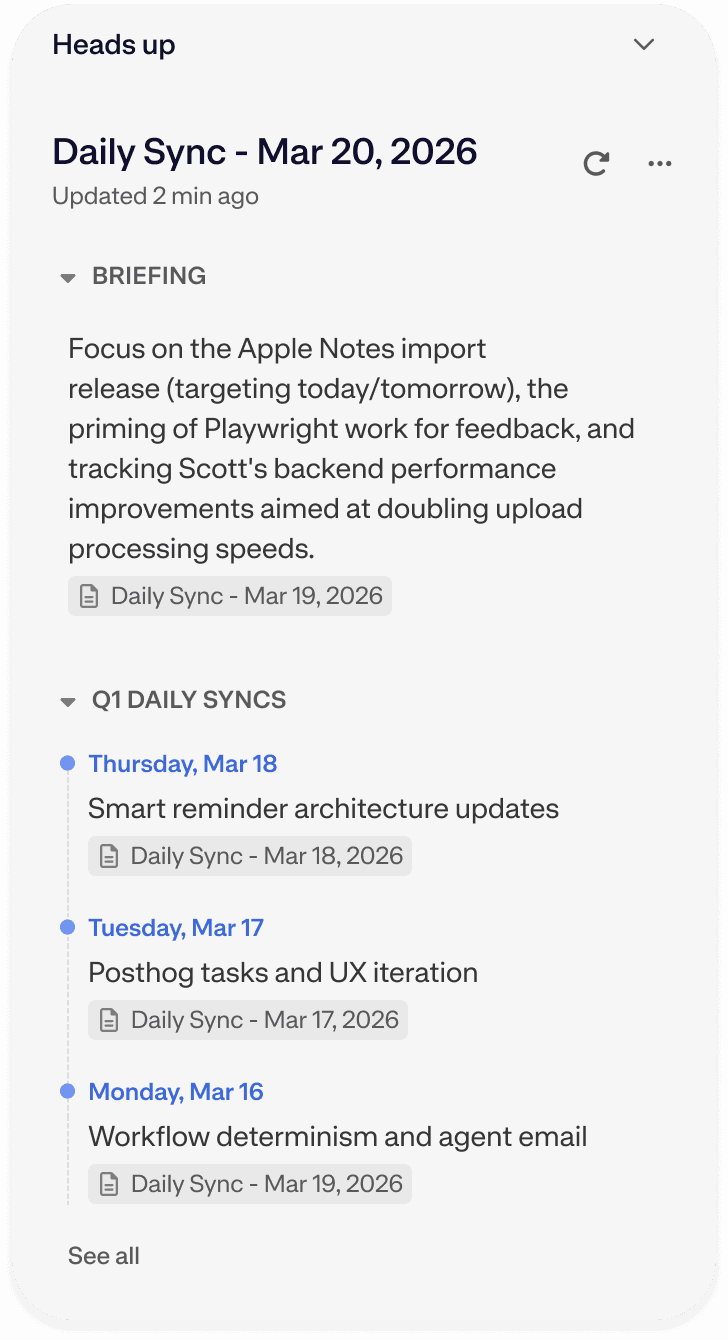
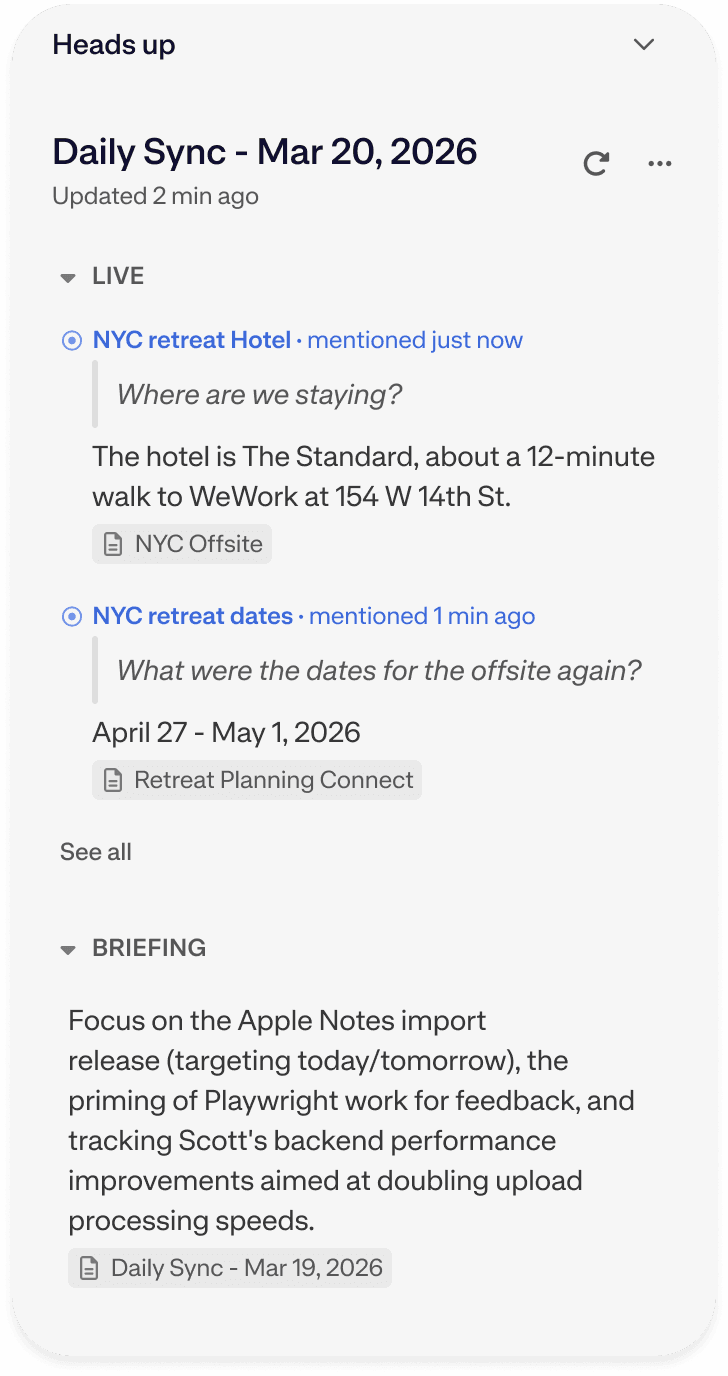
Briefings is a Pro feature that automatically generates a summary of relevant context in the Heads Up panel before each meeting from your calendar integration. Walk into every meeting knowing what was covered last time and what's still outstanding, without having to search or ask.


Pro
Heads Up Live is a Pro feature that makes Heads Up proactive during any Voice Mode session. Heads Up analyzes the transcript of an active recording and identifies topics being mentioned, surfacing relevant notes from your workspace in real time. Available on Web and Desktop.

Heads Up FAQ
Have more questions? Check out our Help and Support center.
What is Heads Up in Mem?
What's the difference between Heads Up and Mem Chat?t using Mem Chat on desktop or mobile?
How is Heads Up different from Granola, Notion AI, or other meeting tools?
What are Meeting Briefings in Mem, and how do they work?
What is Heads Up Live in Mem?
Does Heads Up work on mobile?
Can I customize what Heads Up surfaces?