Mem for Meetings
Stop taking notes in meetings and start leading them. Mem for Mac and Windows automatically joins, records, transcribes, synthesizes, and organizes meeting notes, so you can focus on the discussion.
Never miss another meeting with Mem managing your schedule
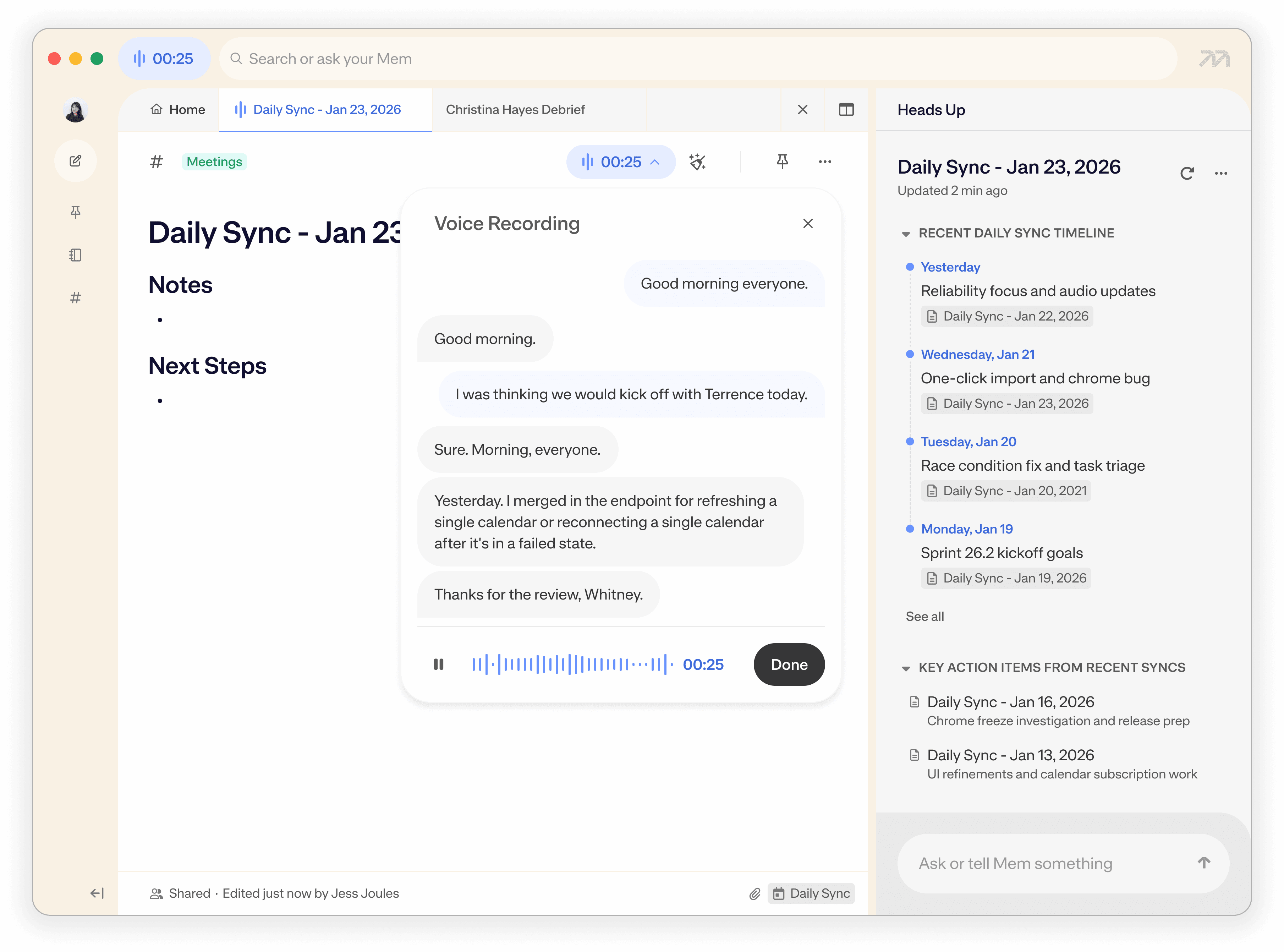
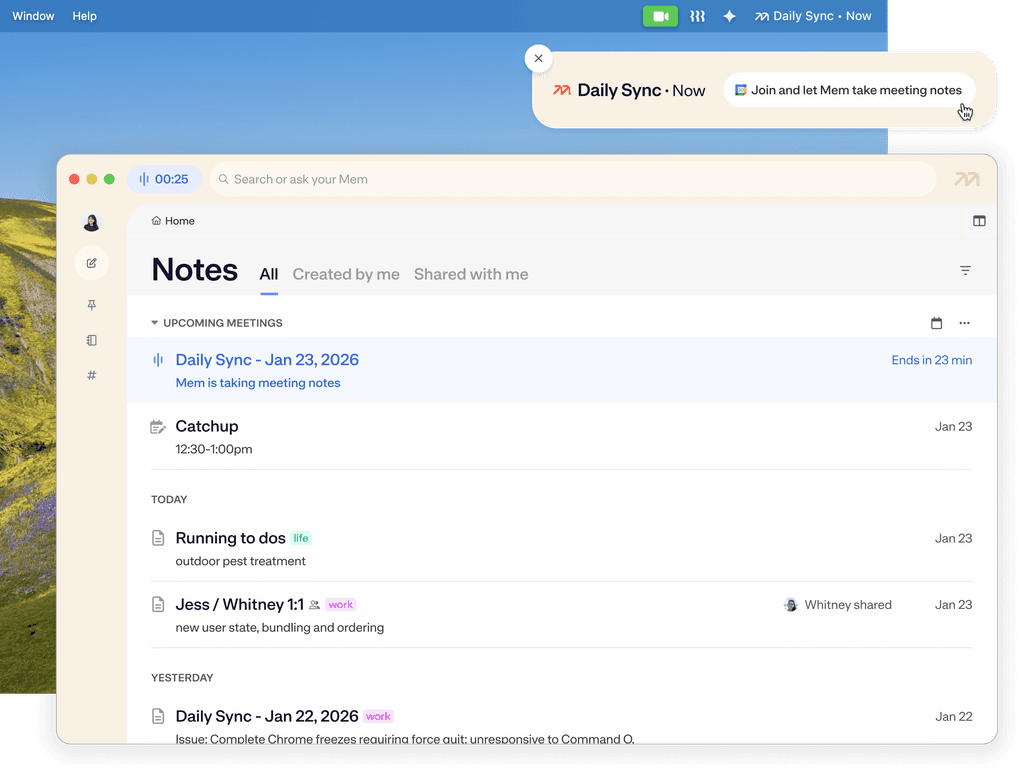
Turn meetings into minutes, directly in Mem. Mem sends you desktop notifications before a meeting starts, enabling you to jump into your meeting and start a voice note with one click.
For ad hoc meetings, Mem automatically detects when you jump on a call on Zoom, Google Meet, Teams, or Slack and pushes a notification to start a meeting note.
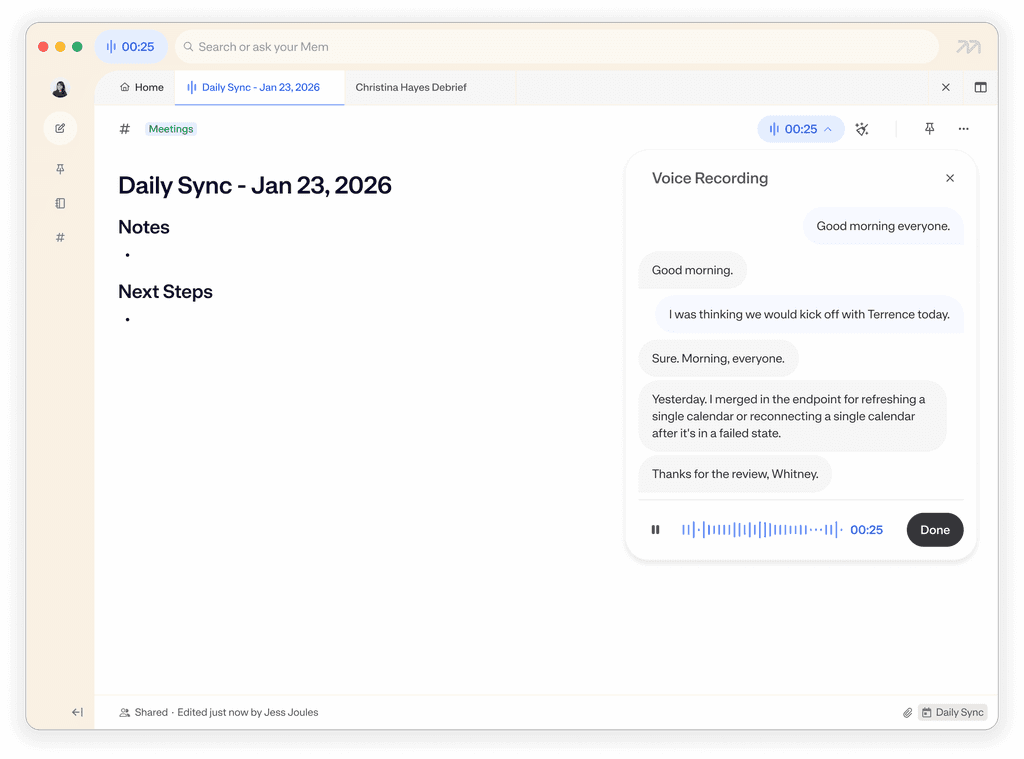
Mem automatically starts recording, transcribing, and taking notes for you.
Mem always stays behind the scenes. No intrusive AI bots interrupting your call; Voice Mode works locally on your device.
Mem detects the end of your call and automatically wraps up the session, even as you’re jumping straight into another meeting.

Heads Up
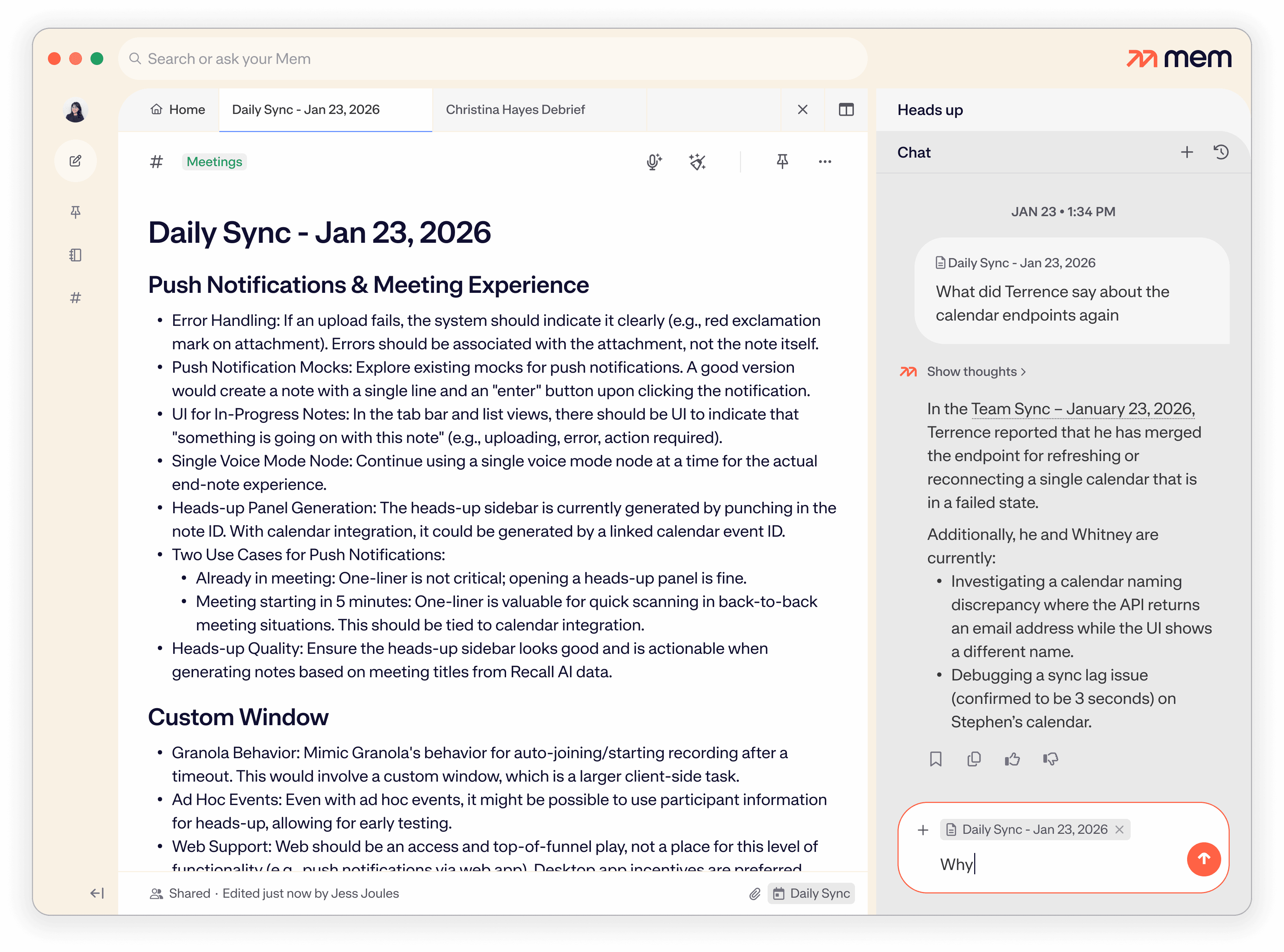
Mem briefs you before the meeting starts, so you're always prepared
Mem automatically resurfaces your previous history and notes with people, teams, or topics mentioned in the calendar event or your meeting note
Ask Mem to synthesize insights from multiple meetings—or confirm details about one
Stay on top of everything: "What should I follow up from this week?"
Synthesize meetings: "Draft an agenda for tomorrow's 1-on-1 based on my last few calls with Alex."
Recall Decisions: "What did we decide about the contract timeline in last week's call?"
Mem for Meetings FAQ
Have more questions? Check out our Help and Support center.
Does Mem have a meeting bot that joins my calls?
Can I use Mem as a meeting assistant for in-person and online meetings?
How does the meeting transcription work?
How can I use Mem to "brain dump" my thoughts after a meeting?
Does Mem automatically generate action items and summaries?
What is "Heads Up" and how does it help with meetings?
How do I organize my meeting notes in Mem?
Can my team collaborate on meeting notes?