1.
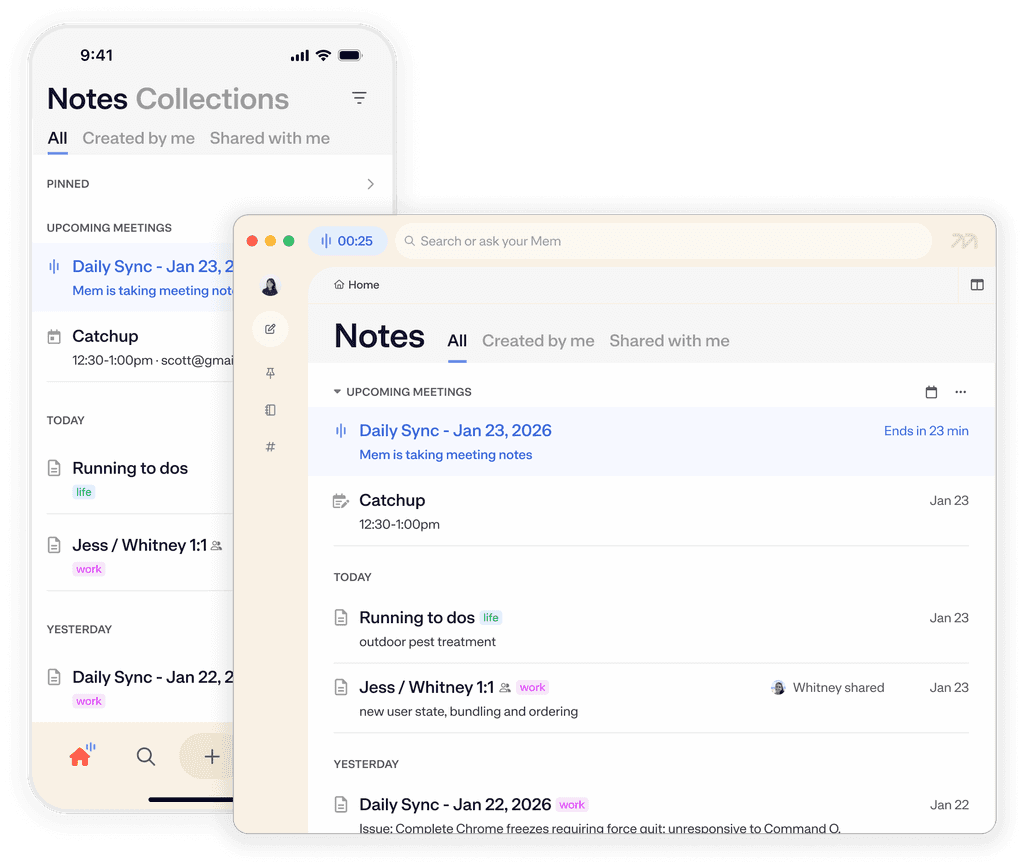
Connect your calendar to see your meetings, and easily prep meeting notes, directly in Mem
Mem can connect to both Google Calendar and Microsoft Outlook. Only meetings with two or more guests will be displayed.
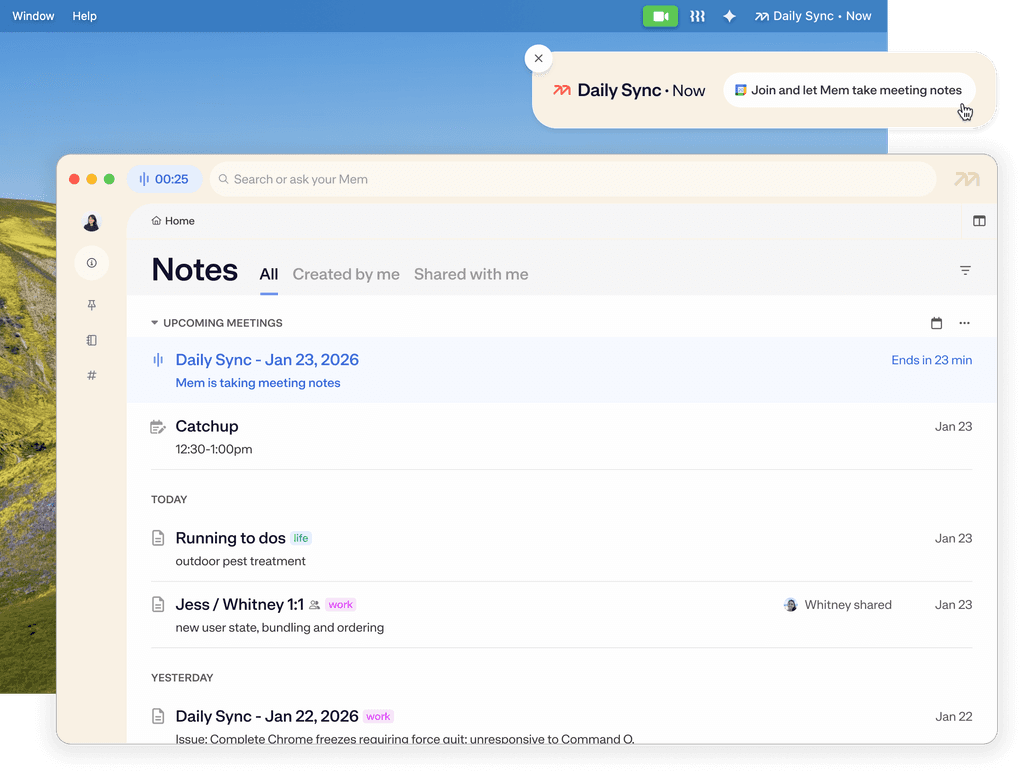
Mem can connect to both Google Calendar and Microsoft Outlook. Only meetings with two or more guests will be displayed.

Mem keeps you—and your meeting notes—on time with notifications that allow you to both join a meeting and start Voice Mode.
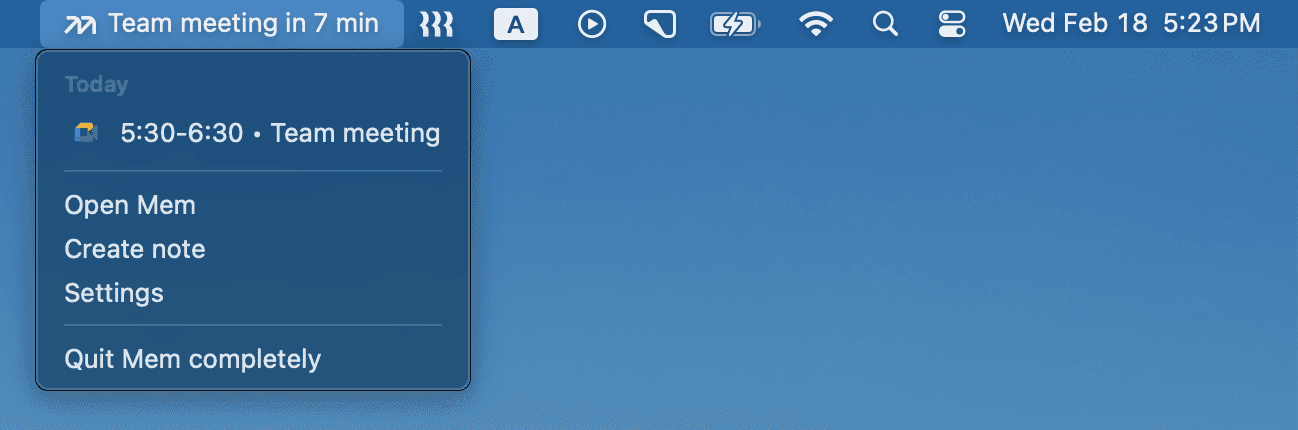
Running late and miss your notification? You can always join a meeting and start Voice Mode from the menu bar.
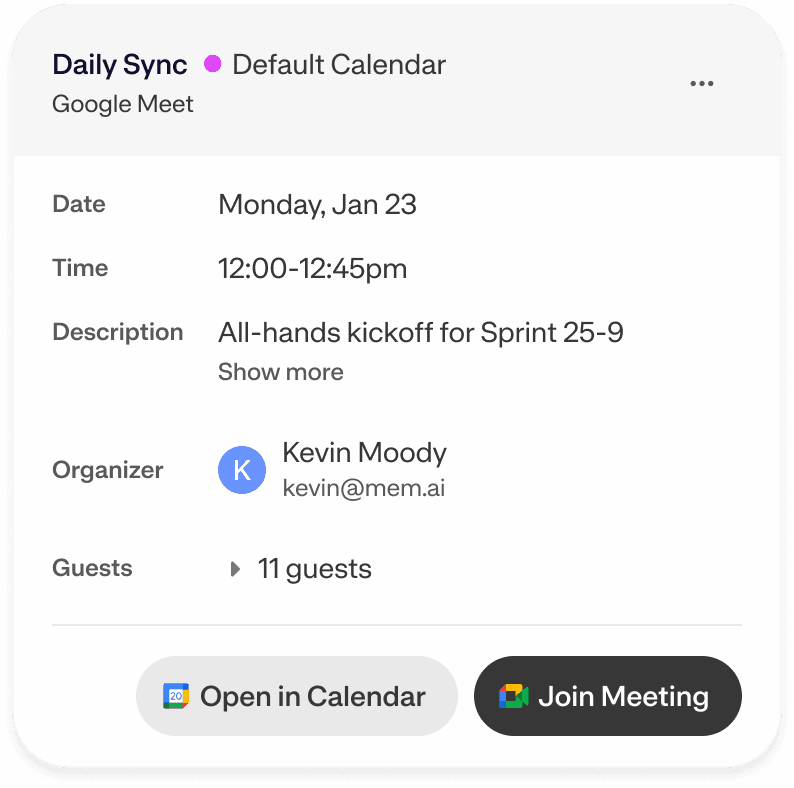
When you create a note via the homepage, menu bar, or desktop notification, Mem automatically creates a note attachment with the event data.
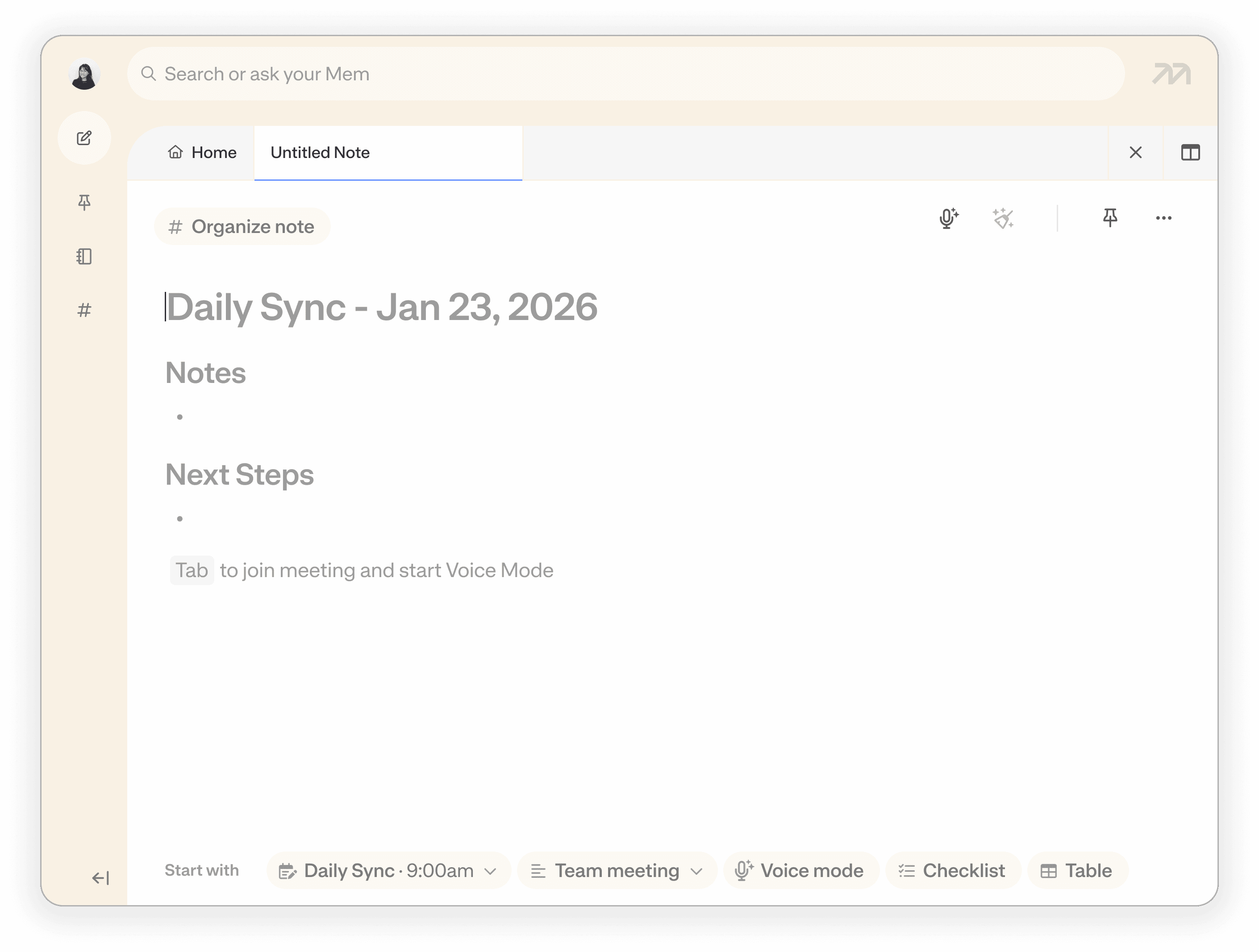
Set a default meetings template, manage your meetings notifications, or connect more calendars in Integrations > Calendar
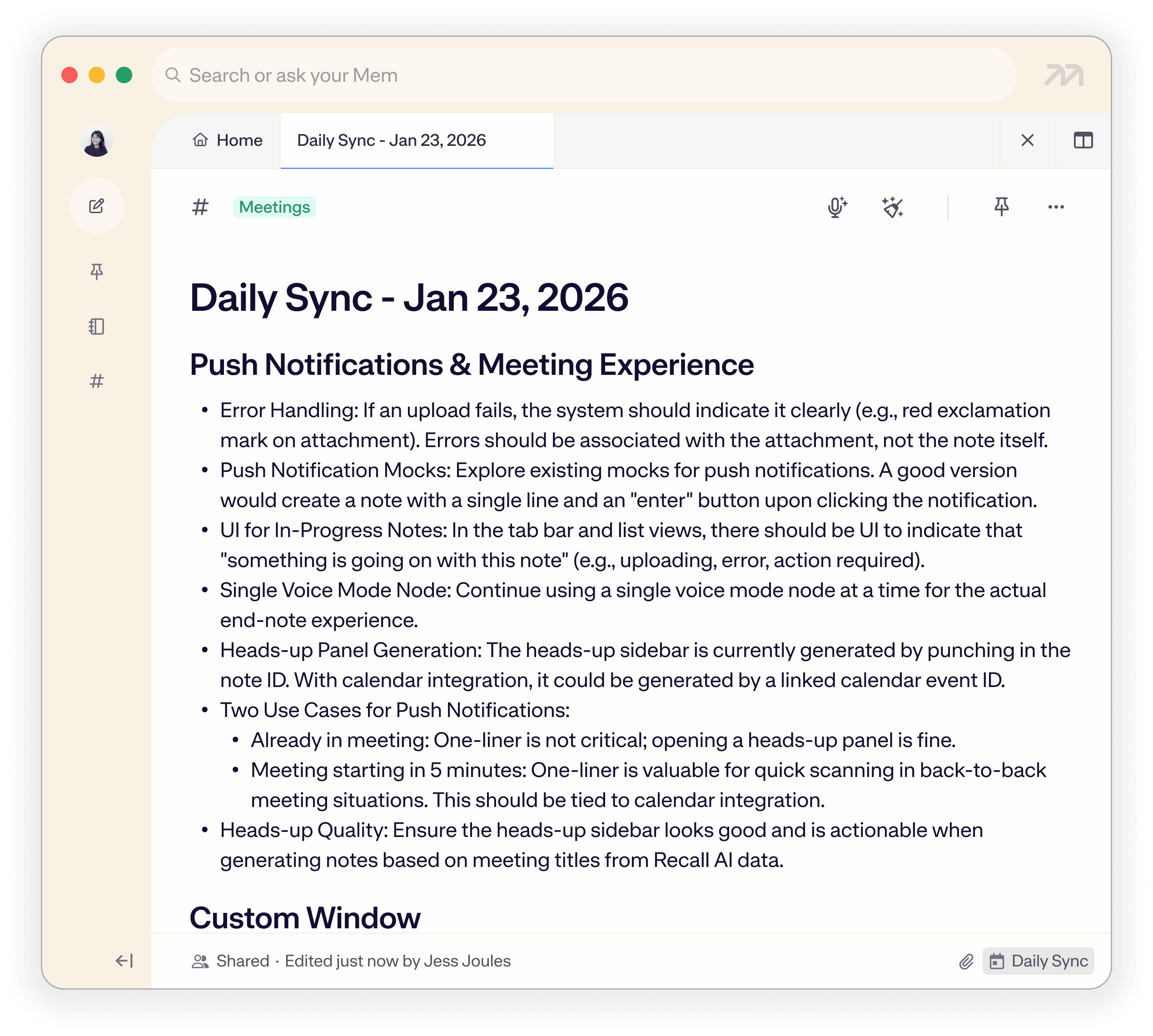
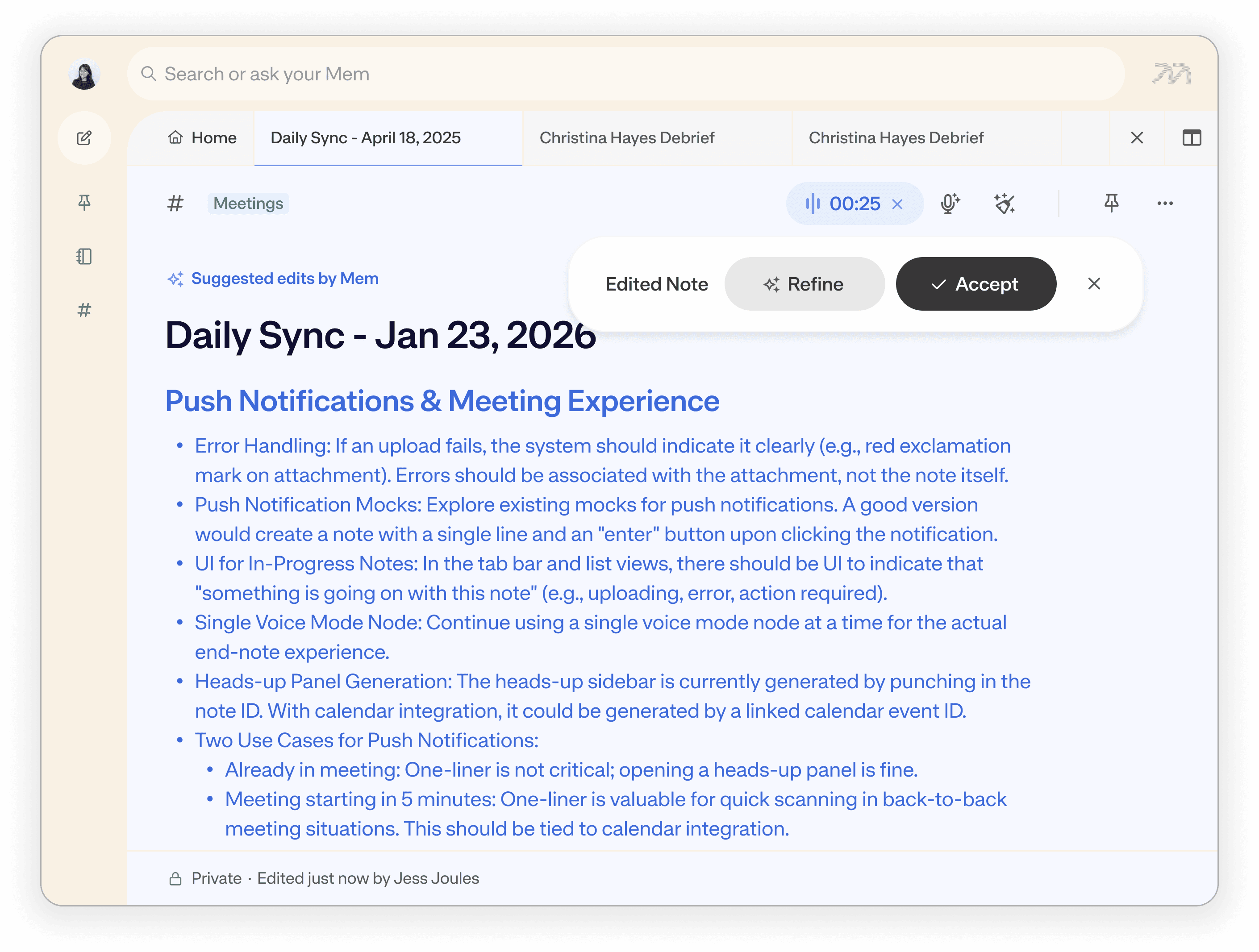
Have more questions? Check out our Help and Supportcenter.
Syncing your schedule is the best way of turning Mem into a powerful and discreet meeting assistant. Simply navigate to the integrations page on desktop, web, or iOS app or click the “Connect your calendar” button on your home screen. Mem supports both Google Calendar and Microsoft Outlook, allowing you to see your entire schedule and prepare for upcoming discussions without leaving your workspace.
No, Mem provides a completely "bot-free" experience. Unlike a traditional meeting bot that appears as a participant in your Zoom, Google Meet, or Microsoft Teams calls, Mem’s meeting recorder works locally on your device. This ensures your meetings remain private and professional while still capturing high-quality AI transcription and summarization behind the scenes.
For ultimate omnipresence, Mem can live in your Mac or Windows menu bar with a live countdown to your next appointment. You can view your full daily agenda in the dropdown menu and join meetings while starting Voice Mode notes in one click, ensuring you stay productive even when you aren't in the main app.
To reduce noise and ensure the integration is actionable, Mem only surfaces meetings that include two or more guests. This ensures that your focus time, personal errands, and other private blocks don't clutter your workspace, leaving you with a clean list of meetings to take notes on.
Yes. Even if a call wasn't scheduled, Mem can detect when you join a call. It will immediately push a notification asking if you’d like to start a Voice note, ensuring that nothing falls through the cracks.
You can easily share individual meeting notes generated by Mem, or put them into Shared Collections. This allows your entire team to use Mem Chat to query your meeting history, pulling up decisions or action items from any past event synced to the workspace.


I no longer worry about how I organize or segment notes into different apps—I toss it in Mem and know it will be there when I need it. So much weight off my shoulders.
