Mem for Content Development
Mem is where your source material, half-formed ideas, and finished drafts become actionable. Capture everything as it comes, from initial idea to finished product, without losing anything in the process.
Mem is where your source material, half-formed ideas, and finished drafts become actionable. Capture everything as it comes, from initial idea to finished product, without losing anything in the process.
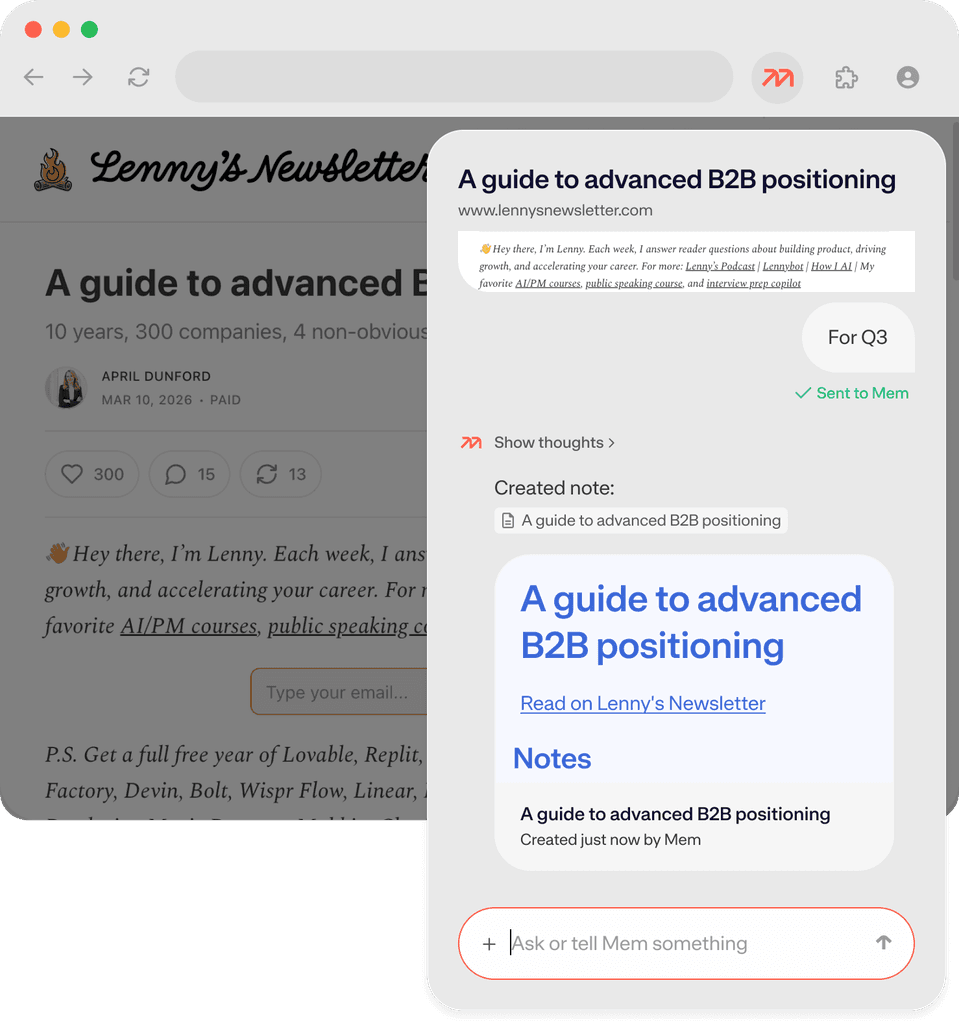
Great content starts with great input. The Mem Web Clipper turns every article, essay, Youtube video, or thread you come across into a structured note in your workspace — formatted, filed, and ready to pull from when you sit down to create.

The best ideas don't wait for you to be at your desk. Voice Mode lets you brain dump the moment inspiration strikes —on your commute, between tasks, or after a conversation — and turns your half-formed thoughts into a structured note instantly.
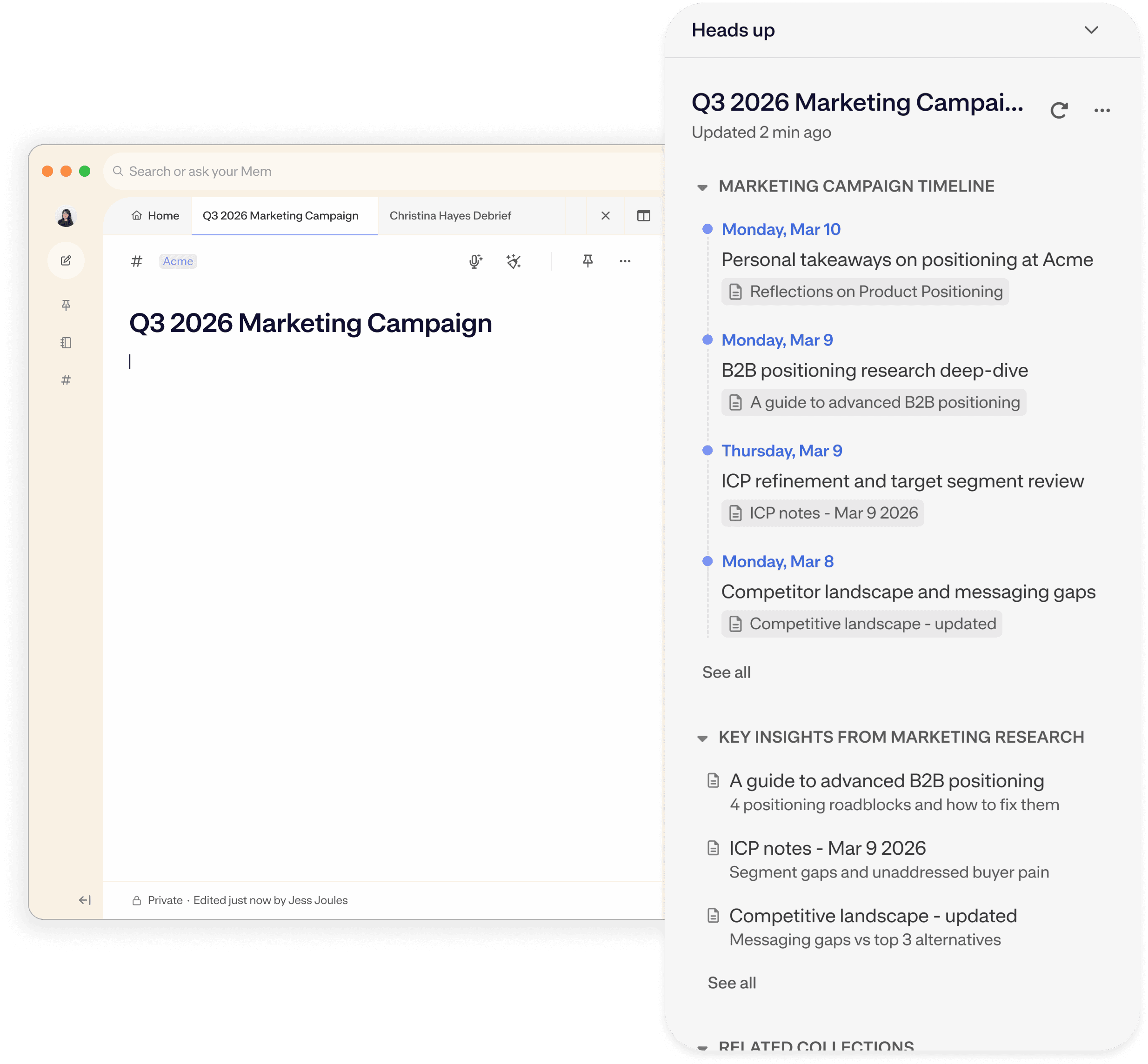
The moment you open a note to start drafting, Heads Up scans your workspace and surfaces everything related — past clips, earlier brain dumps, notes from months ago you'd forgotten about. Your source material assembles itself around you.
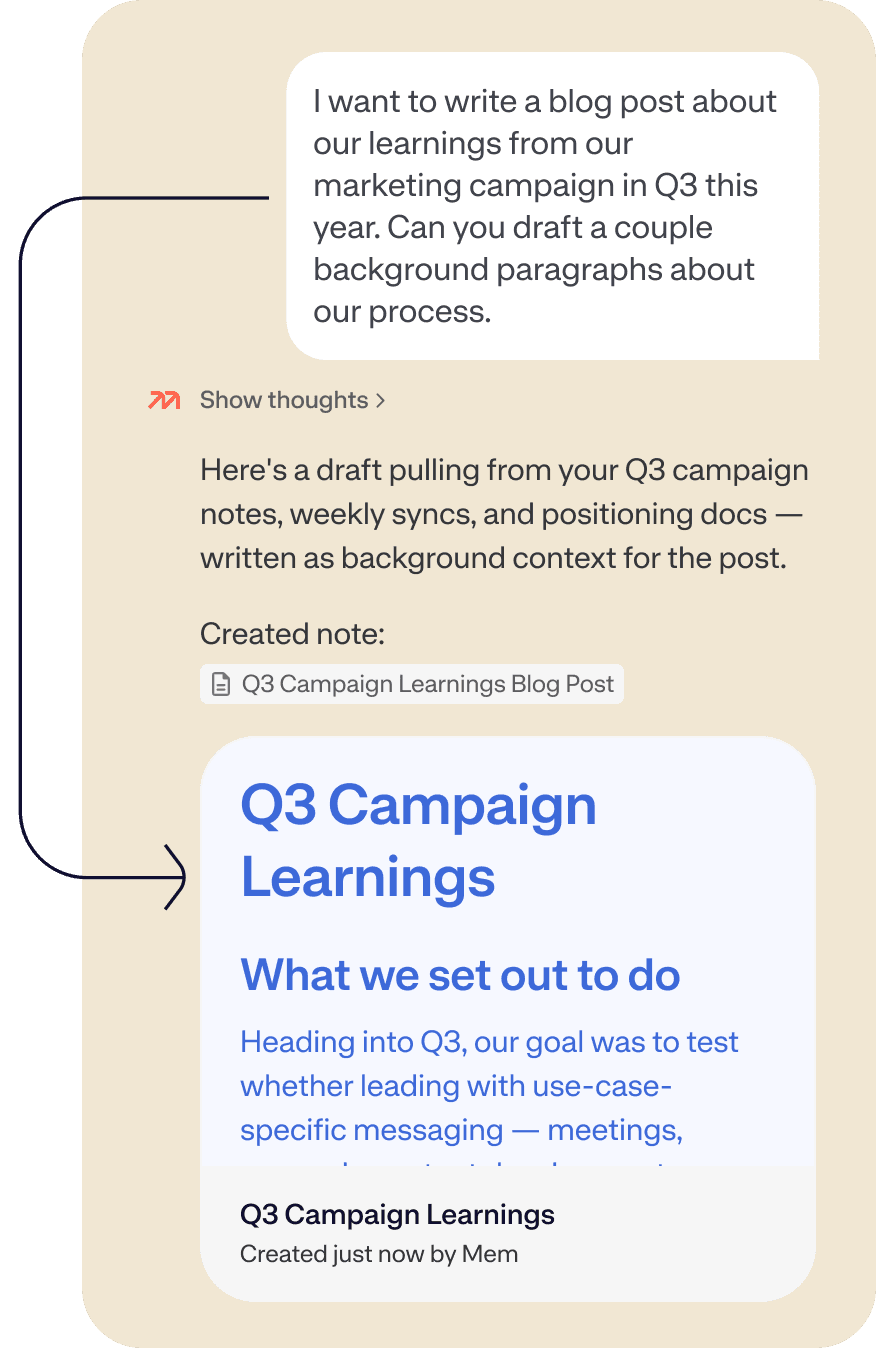
Once your clips, ideas, and notes are in Mem, Chat turns them into something you can actually use. Ask it to connect your research, draft a section, build a content calendar, or summarize your knowledge base about a topic before you start writing.
Have more questions? Check out our Help and Supportcenter.
The typical workflow looks like this: clip articles and videos with the Chrome Extension as you research, brain dump ideas and reactions via Voice Mode as they come to you, then open Chat when you're ready to write and ask Mem to synthesize everything you've captured into a draft or outline. Heads Up surfaces relevant past notes automatically while you work, so nothing you've captured goes to waste.
Yes. Ask Mem Chat to create a table for your content schedule — titles, draft status, publish dates, categories — and Mem will build it as a note and offer to add it to a collection. You can update it through Chat or edit it directly in the note. Real users have used this to manage blog post pipelines entirely inside Mem.
Voice Mode is ideal for brain dumping ideas before they slip away — on a walk, between meetings, or right after you read something interesting. Speak your half-formed thoughts, reactions, and story angles out loud, and Mem structures them into a usable note automatically. Use Chat to synthesize all your brain dumps, research, and drafts into your first draft.
Yes, especially if you've been capturing material. Ask Chat to summarize what you've saved on a topic, then ask it to turn that into a draft or outline. The more clips and notes you've built up in Mem, the more Mem has to work with. Users who clip actively and brain dump regularly find that Mem can do most of the heavy lifting when it's time to sit down and write.
Bookmarks save a URL. Mem saves the content, formats it, summarizes it, files it into the right collection, and makes it queryable. When you're writing six weeks later, you can ask Chat "what did I save about this topic?" and get a real synthesis — not a list of links you have to re-read. The difference is between an archive and a knowledge base you can actually think with.
Yes. Chat can draft in whatever format you need — newsletter intro, YouTube script, LinkedIn post, Twitter/X thread — based on your notes and instructions. Give it context with @Note Title or #CollectionName and tell it the format and tone, and it'll generate a first draft you can refine from there.
Both! Individual creators use Mem as a personal content engine — capturing, organizing, and drafting solo. Teams can use Shared Collections to build a joint editorial knowledge base, share research, and query shared meeting notes and content history through Chat. Anyone on the team can ask "what have we published on this topic?" and get a real answer.


I no longer worry about how I organize or segment notes into different apps—I toss it in Mem and know it will be there when I need it. So much weight off my shoulders.