Product

keyboard_arrow_down

Solutions

keyboard_arrow_down

Product

keyboard_arrow_down

Solutions

keyboard_arrow_down

Mem for Project Management

Booked up without the overhead. Most project management tools are designed to be maintained. Mem is designed to think with you, capturing updates as they come, organizing across everything you're juggling, and surfacing what matters without you having to go looking for it.

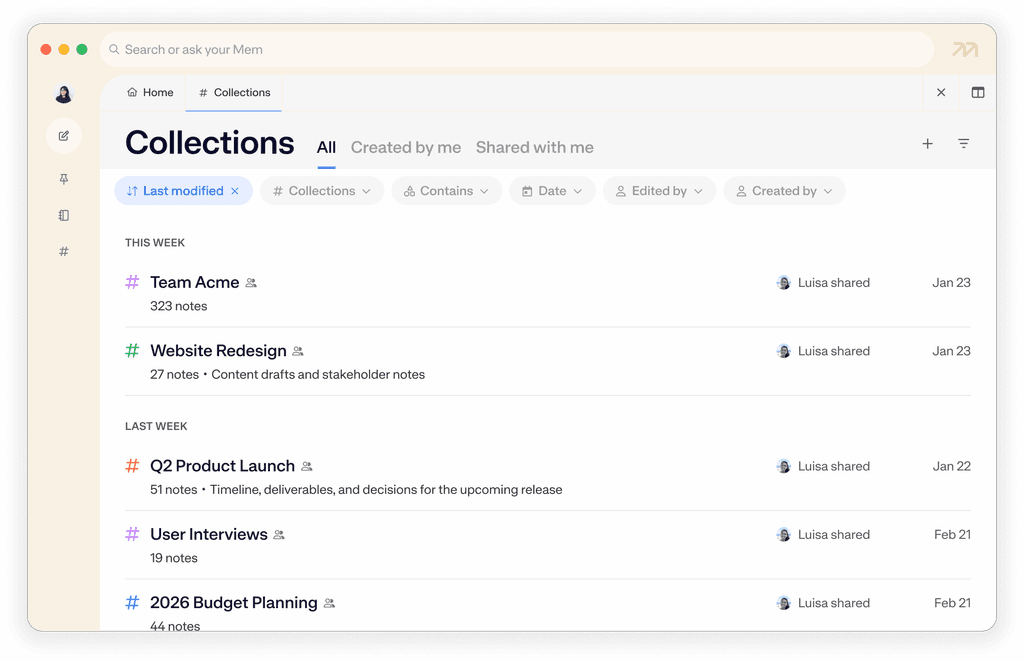
Collections

A place for every project

Collections are how Mem keeps your projects organized. Create a collection for each active project and everything lives in one place. No folders, no rigid structure, no maintenance tax.

  • Create a collection for any project, client, or initiative

  • Add notes to a collection manually, or let Mem auto-organize them

  • Notes can live in multiple collections at once — a meeting note can belong to both a client and a project without duplicating anything

  • Pin your most active projects to the sidebar for instant access
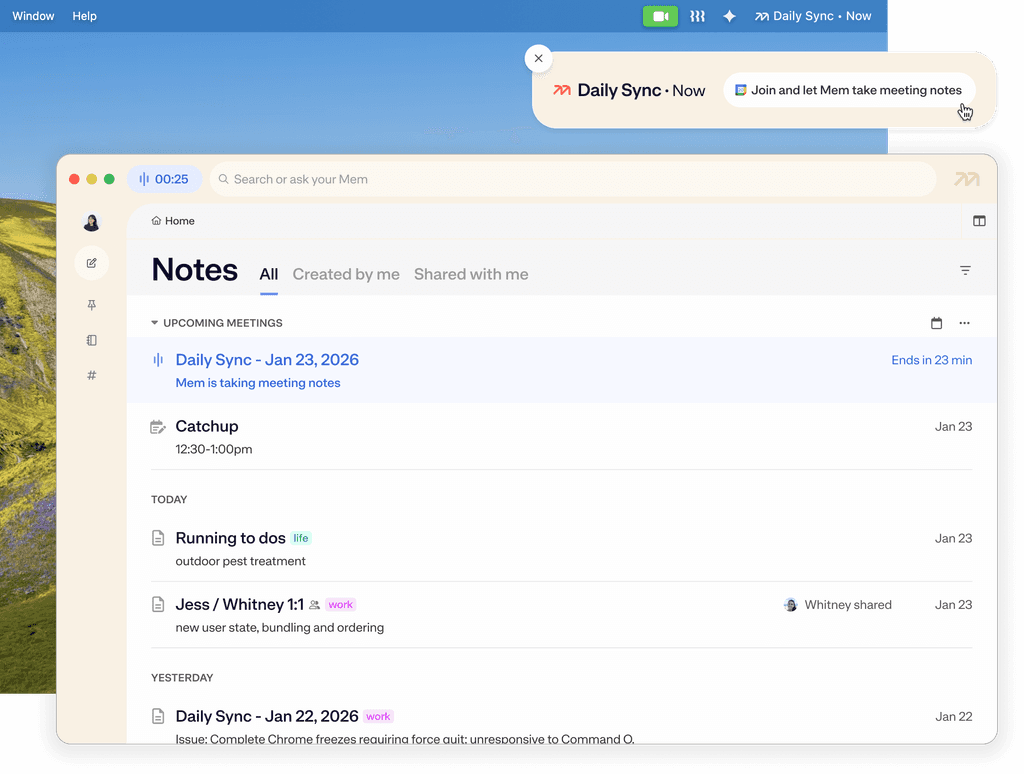
Stay on time, and on top of, every meeting

The Calendar Integration connects your schedule to your workspace, enabling automatic, actionable meeting notes so you can stay focused and present. Calendar data allows Mem to automatically track project updates, open action items, and decisions.

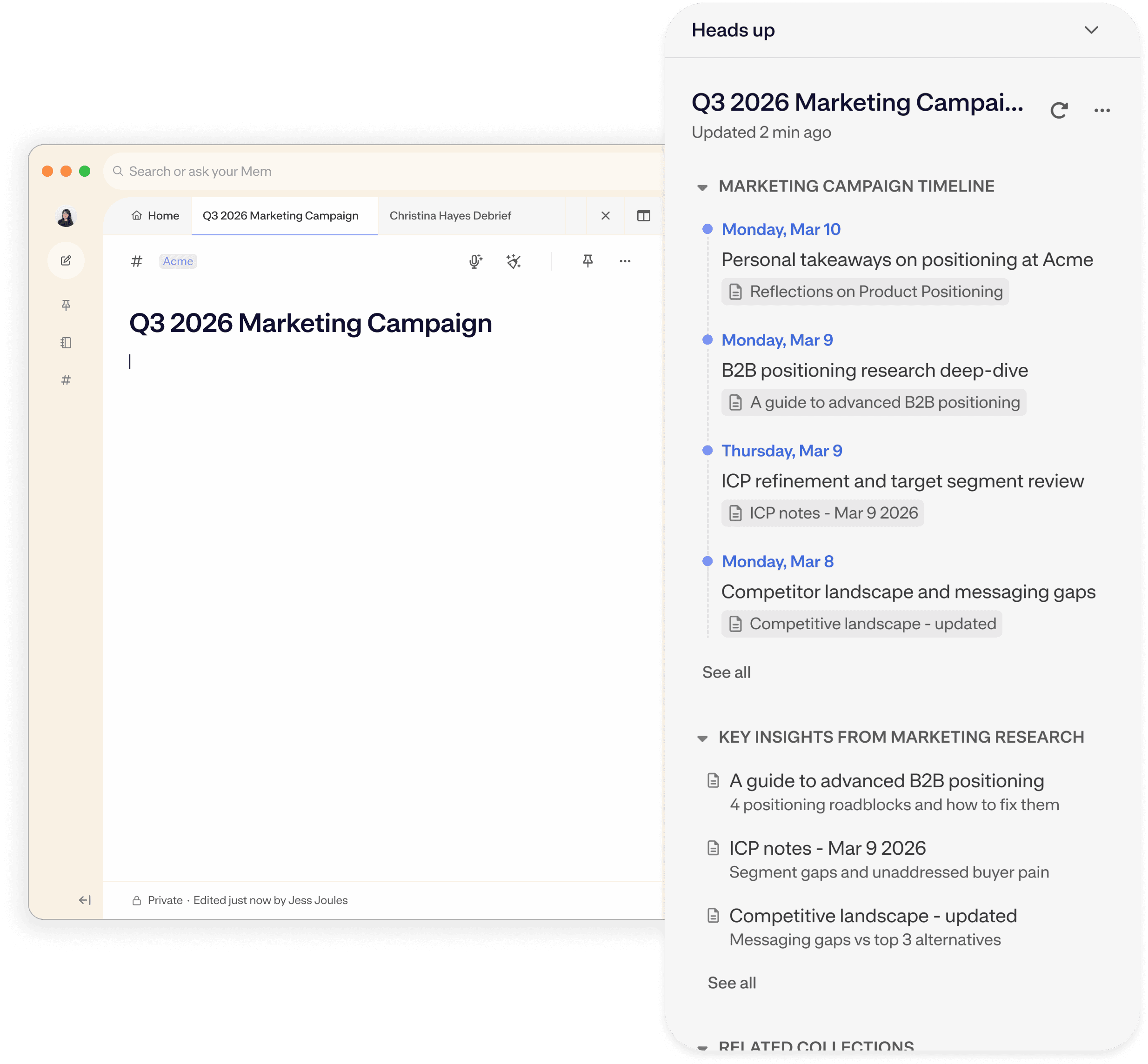
Heads Up

See summarized project histories while you're working on them

Heads Up surfaces your project history the moment you open or start a related note or meeting. Reconnect with things you captured weeks ago that are suddenly relevant to what you're working on now.

  • Timeline threads your history with a client, teammate, or project

  • Related Topic bundles relevant research, past decisions, and previous notes

Your project repositories on demand

When you're managing multiple projects at once, it's hard to keep track of where everything stands. Chat lets you ask questions across your entire workspace and get real answers, without opening a single note.

Ask things like:

  • "What are my open action items across all active projects?"

  • "What did we decide during our last call on [project]?"

  • "What do I need to get done this week?"

  • "What do I need to follow up on today?"

Mem for Project Management FAQ

Have more questions? Check out our Help and Support center.

How is Mem different from a project management tool like Notion or Linear?

Can I track tasks and action items in Mem?

How do I keep multiple projects from getting mixed up in Mem?

How does the Calendar Integration help with project management?

How do I use Mem to get a weekly overview of where my projects stand?

Can I use Mem to manage multiple concurrent projects at once?

Can Mem replace a dedicated project management tool entirely?

A match for great minds

I no longer worry about how I organize or segment notes into different apps—I toss it in Mem and know it will be there when I need it. So much weight off my shoulders.

Zach Price

Founder at Impulse to Impact

A match for great minds

I no longer worry about how I organize or segment notes into different apps—I toss it in Mem and know it will be there when I need it. So much weight off my shoulders.

Zach Price

Founder at Impulse to Impact

A match for great minds

I no longer worry about how I organize or segment notes into different apps—I toss it in Mem and know it will be there when I need it. So much weight off my shoulders.

Zach Price

Founder at Impulse to Impact