Mem for Collaboration

Your team's shared brain, in one actionable place. One place to capture meeting notes, decisions, and context, with AI that makes it searchable, queryable, and always surfaced at the right moment.

Mem collaboration context preview.
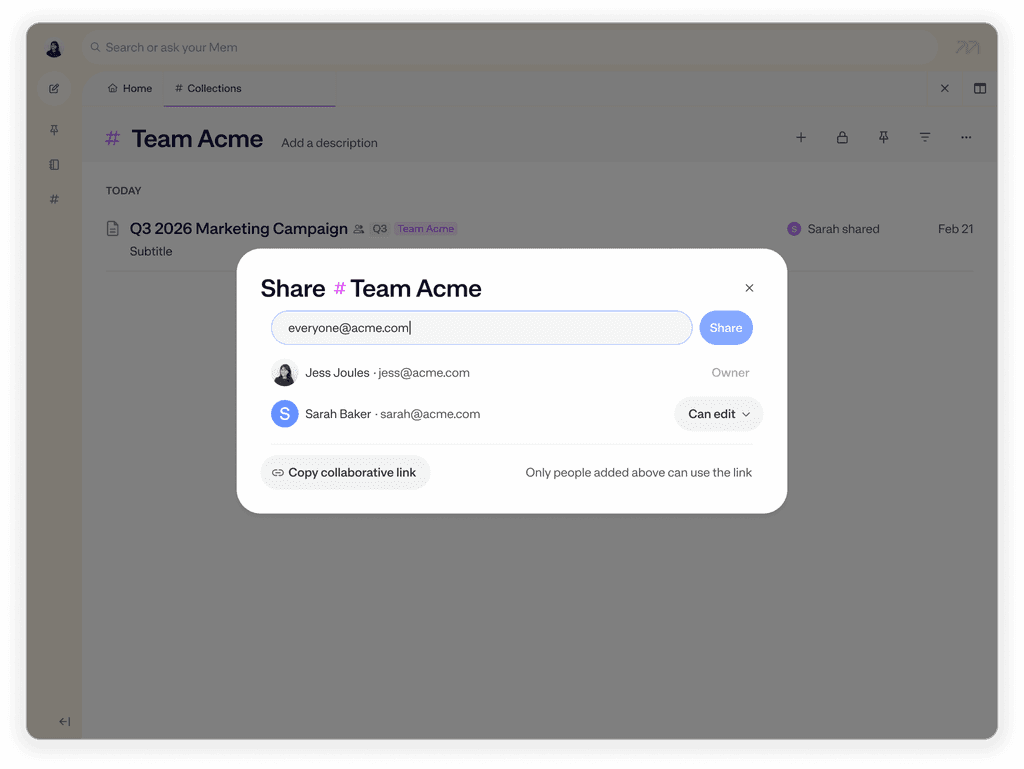
Mem shared collection with project notes and team context.
Shared Collections

One source of truth for every project and team

Shared Collections are the foundation of collaboration in Mem. Create a collection for a project, client, or team function — add a note once, and everyone with access sees it automatically.

Notes can be added to multiple collections, so context isn't siloed.
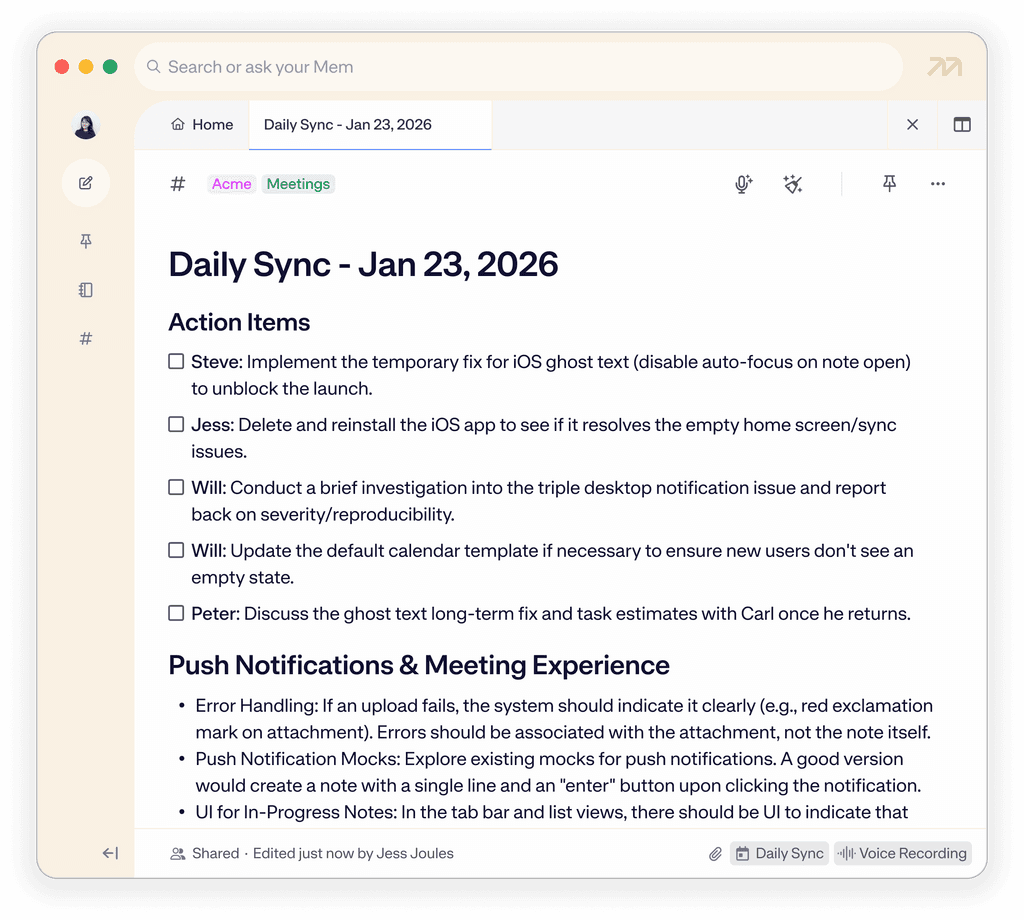
Mem Voice Mode turning a team meeting into shared notes.
Voice Mode

Meeting notes that get your team on the same page

Voice Mode captures meeting decisions, action items, and context all in real time—so notes are ready when the meeting ends. Add them to a shared collection so your whole team has access.

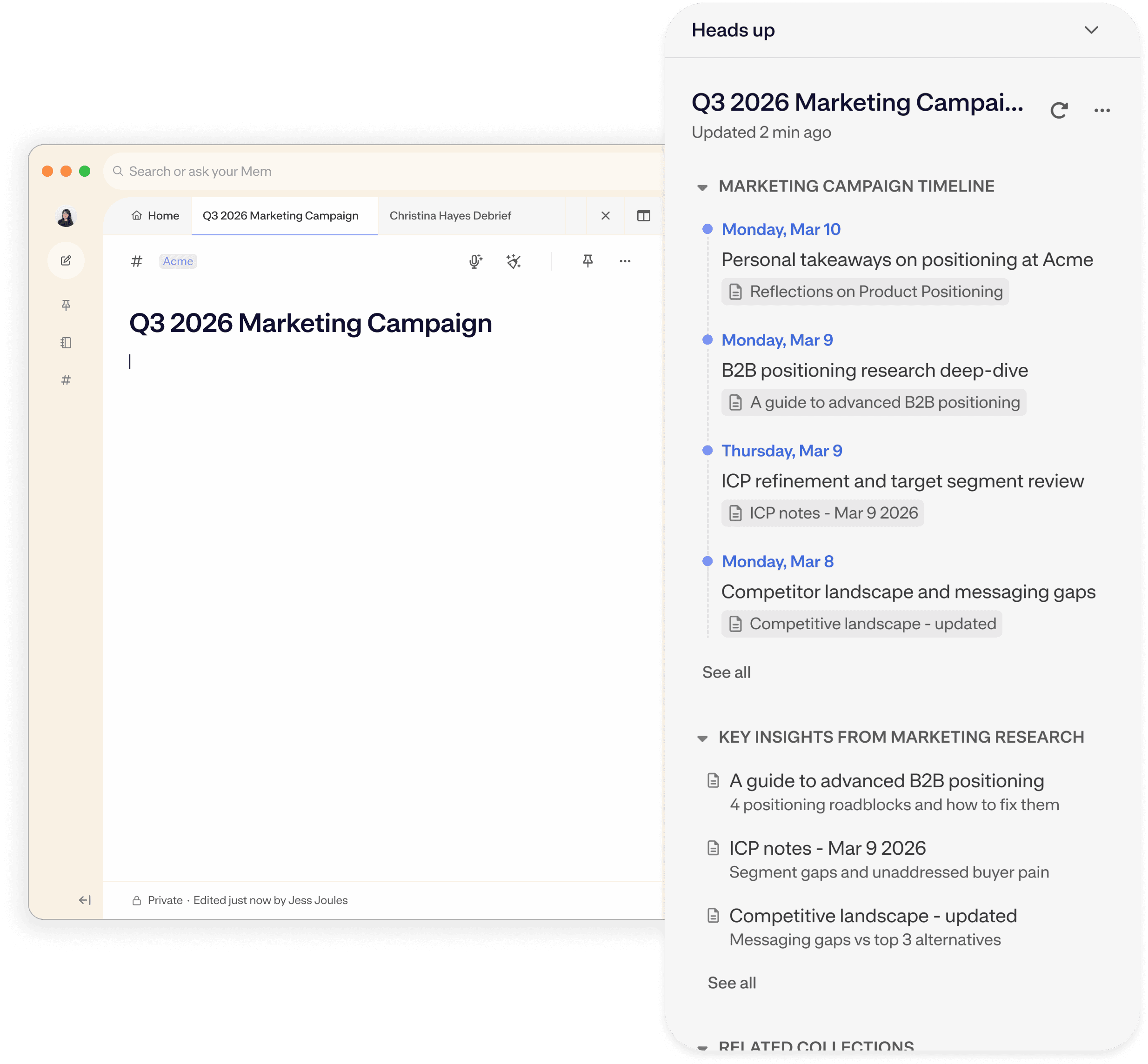
Mem Heads Up surfacing shared team context.
Heads Up

Surface team notes when you need them

In a shared workspace, Heads Up doesn't just surface your own notes — it surfaces your team's. Open a note and see the full history of past interactions with that client or colleague, including notes your teammates wrote. Start a project doc and find related context from across the team automatically.

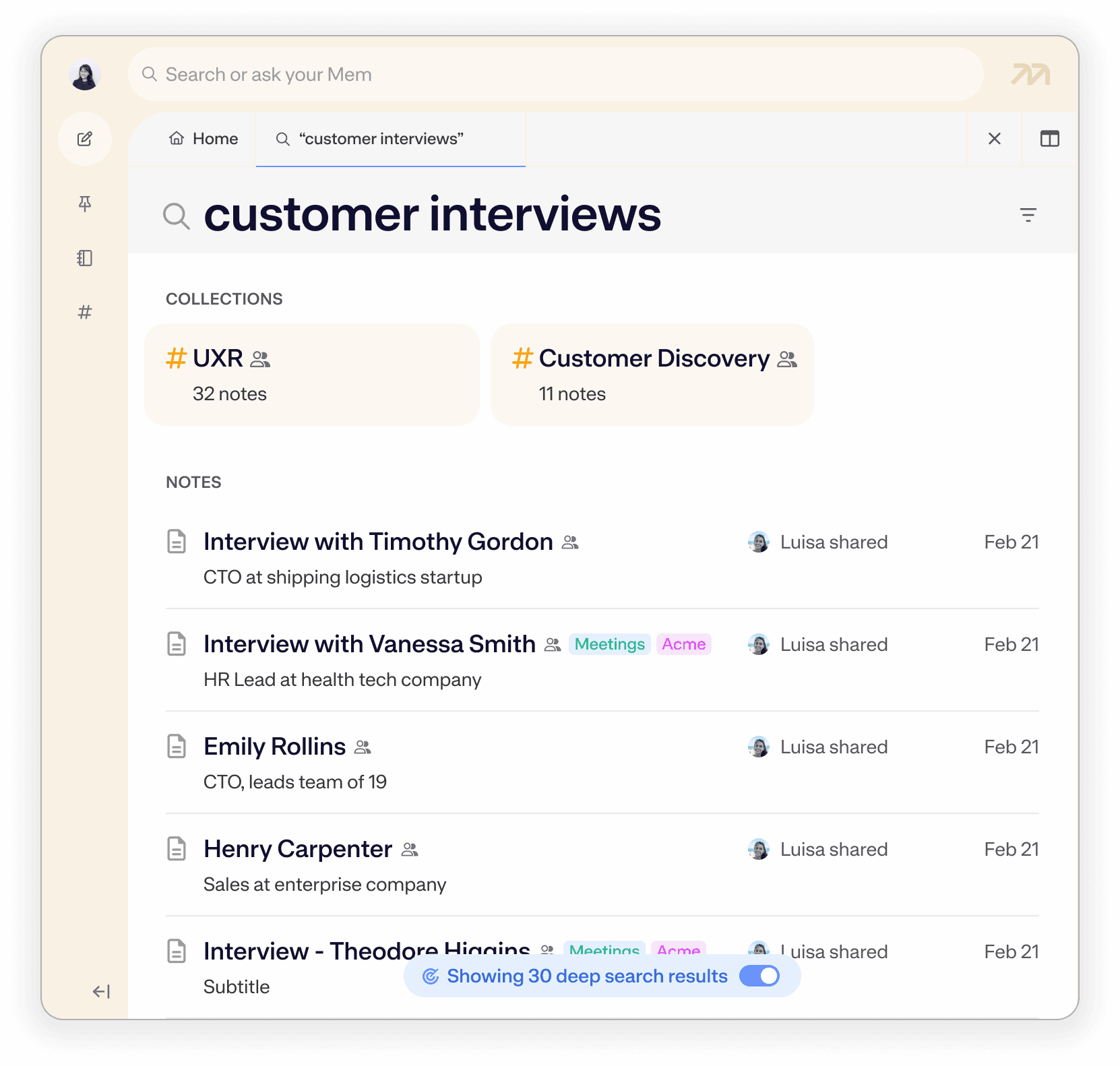
Mem search finding team context from a shared workspace.
Search

Find anything in your team's shared workspace, even if you don't know the exact note title

Mem's natural language search works across everything in your shared workspace, so any teammate can find any note, decision, or piece of context without needing to remember exactly how it was titled or organized.

Search in plain language: "customer feedback from last quarter" or "notes from our March offsite"

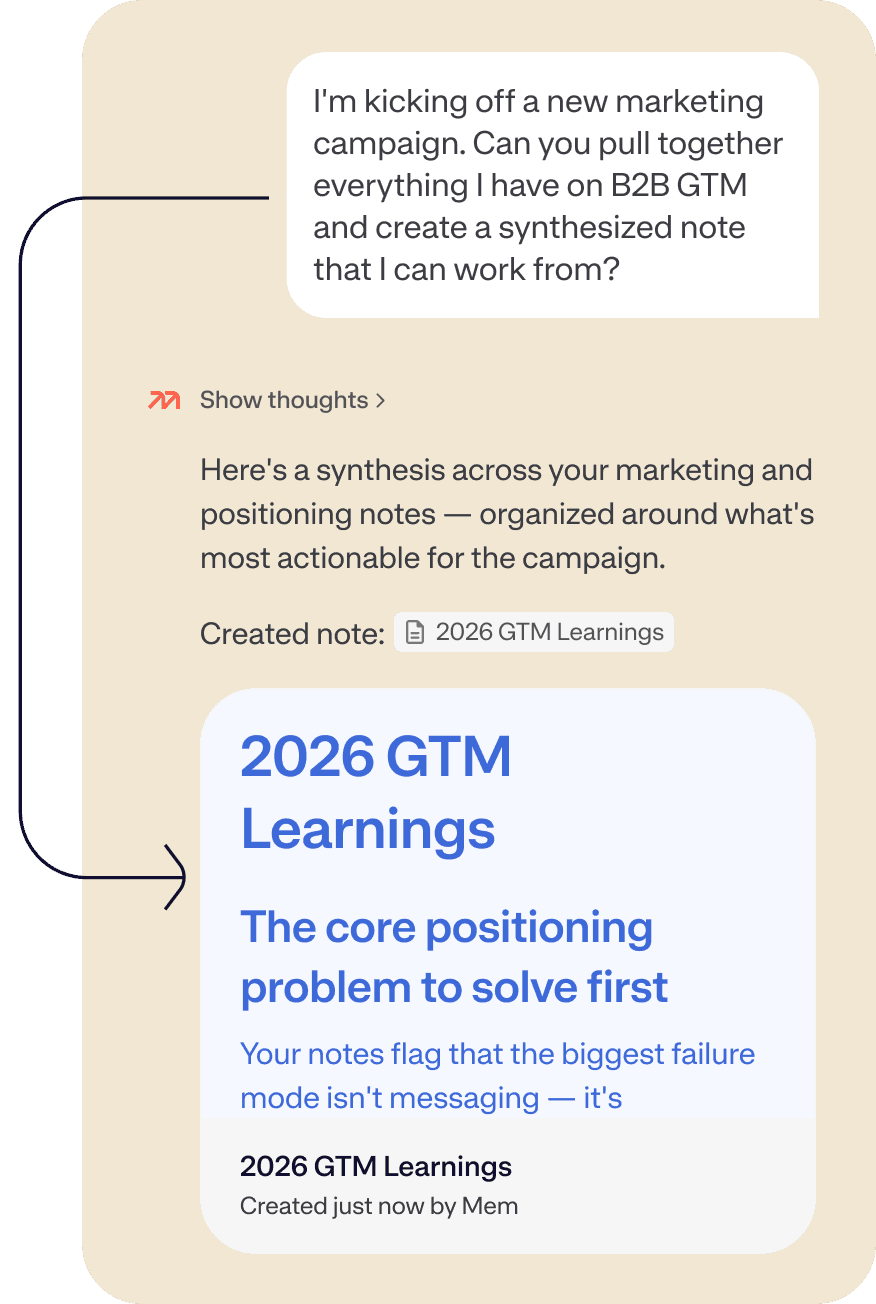
Mem Chat answering questions from team notes.
Chat

Chat about your team's collective knowledge base in natural language

Once your team's notes live in Shared Collections, Chat turns them into a queryable knowledge base. Any team member can ask questions, surface past decisions, and pull context from meetings they weren't even in — all in a single conversation.

Ask things like: "What did we decide about the pricing model?" or "Summarize last month's client calls"

Mem for Collaboration FAQ

Have more questions? Check out our Help and Supportcenter.

How do teams share notes and knowledge in Mem?

Mem has two levels of sharing. Individual notes can be shared directly with specific teammates — good for real-time collaboration on a single document. Shared Collections let you group notes by project, client, or team so that any note added to the collection is automatically accessible to all members. Most teams use both: Shared Collections for ongoing projects, and direct note sharing when something needs a specific collaborator's input.

Does Mem replace tools like Notion or Confluence for team knowledge management?

Mem is built differently from traditional wikis and documentation tools. Rather than requiring manual organization and maintenance, Mem's AI captures, organizes, and surfaces team knowledge automatically — particularly strong for living, evolving knowledge like meeting notes, decisions, and client history. Many teams use Mem as the active layer where new knowledge gets captured and recalled, alongside existing tools for static documentation.

Can teammates search and query shared notes they weren't involved in creating?

Yes. Any member of a Shared Collection can use Search to find notes in plain language, or use Chat to ask questions across the entire shared workspace. A teammate who missed a meeting can search for "what did we decide about X" or ask Chat to summarize recent notes from a project collection and get a real answer, not just a list of links.

How does Mem capture meeting notes without using a meeting bot?

Mem's Voice Mode records and transcribes meetings locally on your device — no bot joins the call as a participant, so your meetings stay private and professional. On supported Mac (Apple Silicon) and Windows devices, Mem captures both your microphone and system audio, picking up all speakers on a video call. The result is a structured note with the full transcript attached, ready to add to a Shared Collection immediately after the call.

What happens when I share a note with someone who doesn't have a Mem account?

They'll receive an email invitation and can register to access the shared note or collection. This makes it easy to loop in a new hire or external collaborator without requiring them to already be set up on Mem.

Can my team use Mem to stay aligned without being in the same meetings?

Yes. With Shared Collections, Chat, and Search, a teammate who missed a meeting can get fully up to speed by asking Mem to summarize recent notes, or by searching for specific decisions. Heads Up also proactively surfaces relevant team context as they work — so catch-up happens naturally rather than requiring a dedicated sync.

Is there a Mem plan designed for teams?

Yes. Rather than each team member subscribing individually to Mem Pro, Mem offers a Teams plan with unified billing and access. To inquire, contact us. We’ll help you set up the right plan for your organization.

A match for great minds

Sign up
I no longer worry about how I organize or segment notes into different apps—I toss it in Mem and know it will be there when I need it. So much weight off my shoulders.
Zach PriceFounder at Impulse to Impact